Your own private ad blocker, inside an isolated DNS node.
Block ads, trackers and telemetry on every device. Pi-hole® or AdGuard Home® and Unbound built in. Nothing to set up.
Blocks ads and trackers
Works at DNS level on any device you connect.
Private and isolated
Your own node. Not a shared DNS service.
Unbound built in
No public DNS provider in the middle.
Zero setup
Live instantly. Nothing to configure.
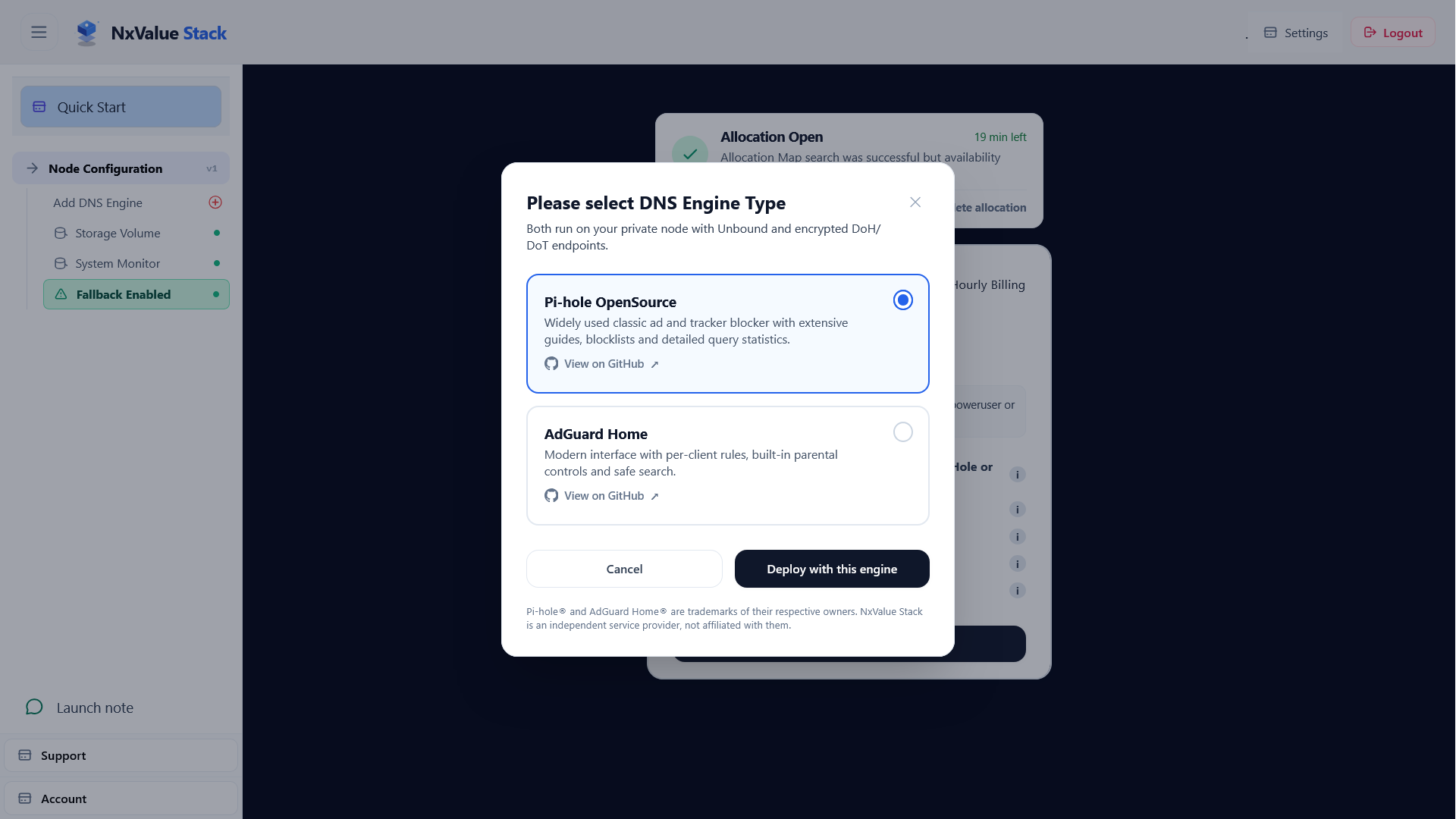
Choose your ad-blocking engine (open source)
Pi-hole®
Network-wide blocking with a live query dashboard.
AdGuard Home®
Network-wide blocking with a modern dashboard.
What does it block?
How DNS blocking works
Blocks: ad and tracking domains, telemetry and background app traffic on every device using your node.
Can't block: ads served from the same domain as the content, such as YouTube or Twitch video ads.
For fuller coverage, add a browser content blocker.
Live in 3 steps
Instant deployment with no installation.
-
1
Deploy. Pick an engine. Your node is ready instantly with active encrypted DNS endpoints.
-
2
Connect. QR endpoint on Android, profile on iOS, or a link for browsers.
-
3
Browse. Ads and trackers are blocked, and your dashboard shows every blocked query live.
Four ways to run your DNS
Which option blocks ads, and who sees your lookups?
| Question |
Public resolver
Cloudflare, Google, Quad9
|
Shared hosted filter
NextDNS, Control D, AdGuard
|
Self-hosted
Pi-hole or AdGuard Home
|
Managed private node
NxValue Stack
|
|---|---|---|---|---|
| Ad and tracker blocking | None by default. Quad9 blocks malware. | Yes, with per-device profiles. | Yes, with full control of blocklists. | Yes. Pi-hole or AdGuard Home, full dashboard. |
| Who runs it | A large provider. Nothing to set up. | A provider, on a shared platform. Sign up and go. | You. Updates and uptime are yours. | We host your own isolated instance. Deploy and go. |
| Your queries and logs | The provider sees them. No logs for you. | The provider sees them. You get logs. | Stay on your hardware. | Stay on your node. Export or delete anytime. |
| Cost | Free. | Free tier with caps, then paid plans. | Free software, plus hardware and your time. | $4/month, billed hourly. |
Features and prices change. No DNS setup hides the IPs you connect to or blocks ads served from the content's own domain.
What can NxValue Stack do for me?
Full access without the terminal, available for use anywhere. Pick the filter you prefer: Pi-hole or AdGuard Home.
See your node in action
BASE-N
-
Ad, tracker and telemetry blocking on your own isolated server
Pi-hole or AdGuard Home blocks ad and tracking domains for every device you connect. Not shared with other customers: your queries, logs and settings stay on your node.
-
Unbound recursive resolver built in
Validates DNSSEC and resolves directly from authoritative servers, with no public resolver in the middle.
-
Encrypted DNS endpoints
DoH and DoT, so your ISP and public networks can't read your lookups.
-
Temporary Fallback Path
Optional feature to ensure DNS connectivity even if node goes down.
-
Dashboard, logs and exports
Watch queries live and download your full database and logs anytime.
Block ads with
Delete anytime. Deleting the node destroys your data.
Frequently Asked Questions
Built Around Complete Transparency
NxValue Stack Node blocks ads and trackers for your connected devices and gives you full visibility into their DNS activity.
Ads and Trackers Blocked at Your Node
Your devices send DNS requests to your isolated NxValue Stack Node. Your chosen filter, Pi-hole or AdGuard Home, checks each request against your blocklists. Ad, tracker and telemetry domains are blocked, and everything else goes on to Unbound for resolution.
Recursive Unbound Resolution
Whichever filter you pick, Unbound performs recursive DNS resolution directly from your Node, completely eliminating reliance on centralized public DNS resolvers.
See What Was Blocked
Access private query logs in Pi-hole or AdGuard Home to see which domain names are requested, which ads and trackers were blocked, and track network traffic per device.
What is NxValue Stack?
NxValue Stack gives you your own private ad-blocking DNS node, running either Pi-hole or AdGuard Home (your choice), with an Unbound recursive resolver and encrypted DNS endpoints (DoT and DoH). Deploy it in one click, add the endpoint to your phone, laptop or browser, and ads, trackers and telemetry domains are blocked on every device you connect. Your DNS lookups go to your node instead of a shared public resolver.
There is no hardware to buy, no terminal work and no port forwarding. The node is hosted for you, so it works on any network.
How does the ad blocking work?
Ad blocking happens at the DNS level, on your node. Before a device loads an ad or a tracker, it looks up that domain's address. Your node checks the lookup against your blocklists. If the domain is on a list, the node doesn't resolve it, so the ad or tracker never loads. If it isn't, Unbound resolves it as normal.
Blocking is on as soon as your node is live, and your dashboard shows every blocked query.
Does it block all ads?
No DNS-level blocker does. Here is what to expect:
- Blocks: Third-party ads, tracking domains, web telemetry and background app scripts on any device you connect.
- Can't block: First-party video ads such as YouTube or Twitch, because those are served from the same domains as the video itself.
For full coverage, pair it with a browser-based content blocker.
Do I still need a browser ad blocker?
For the fullest coverage, use both. A browser extension can hide ads that DNS blocking can't, such as many video ads, but it only protects that one browser. NxValue Stack works at the network level, so the two cover different gaps:
- Beyond the browser: Blocks ad, tracker and telemetry domains for apps and background services on your phone and computer, where extensions don't run.
- One setup per device: Connect a device once instead of installing an extension in every browser.
- Better together: DNS blocking stops requests before they are made, and a browser blocker handles what is left on the page.
Should I choose Pi-hole or AdGuard Home?
Both block ads, trackers and telemetry with the blocklists you choose, both show you a query log, and both use the same Unbound resolver and encrypted endpoints on your node. The difference is mostly the interface and the extras:
- Pi-hole: A long-established choice with a detailed admin dashboard, custom filtering rules and groups, if you already know it or want to follow its large community.
- AdGuard Home: A modern interface with per-device client settings, if you like to give different devices different rules.
If you have no preference, either one works well. Choose the one you find easier to use.
How do I connect my phone or laptop?
Every node comes with its own encrypted DNS endpoints. Setup takes about a minute:
- Android: Paste your node's DoT hostname into the Private DNS setting (the exact menu path varies by device).
- iOS and macOS: Install the DNS configuration profile from your node's setup page.
- Browsers: Add your node's DoH link under the browser's secure DNS (custom provider) setting.
Why use NxValue Stack instead of Chrome or Firefox DoH?
Chrome and Firefox offer DoH, but only inside that browser and usually through a large shared public resolver. Encryption hides your lookups from your network, but you can't see, filter or delete what the resolver keeps. NxValue Stack works at the system level, and the node is yours:
- Device-wide coverage: Covers apps, background services and every device you connect, not just one browser.
- Native DoT support: Works with system-level DNS-over-TLS on iOS, Android, macOS, Linux and modern home routers.
- Network-wide ad and tracker blocking: Pi-hole or AdGuard Home blocks ad networks, tracking scripts and telemetry domains before a connection is made, saving bandwidth on every device.
- No big public resolver in the middle: Unbound resolves DNS itself, starting from the root servers, instead of sending your browsing history to a public resolver such as Google or Cloudflare.
How is this different from NextDNS or Control D?
NextDNS and Control D also block ads, but they are shared services: many customers use the same infrastructure and settings dashboard. NxValue Stack gives you your own isolated Pi-hole or AdGuard Home instance with your own Unbound resolver. Your query logs live on your node only, you can download the full database at any time, and everything is destroyed when you delete the node.
It is a good fit if you like Pi-hole or AdGuard Home and want your own instance without running any hardware.
What happens if my node goes down?
Queries are temporarily routed to a fallback upstream resolver (Cloudflare or Quad9) so your internet keeps working. While the fallback is active, your node's ad blocking, filtering and logging are not in the path, so ads and trackers are not blocked. Once your node is back, your queries use it again.
Is NxValue Stack a public DNS provider?
No. Each node is isolated and set up exclusively for your personal use, so you don't share resources or logging pipelines with other customers.
You get your own dedicated cloud instance running open-source software, with complete control over your traffic.
What happens to my data?
Your query logs and Pi-hole or AdGuard Home database stay on your node. You can download the full database and logs at any time, and all data is destroyed when the node is deleted.
How much does it cost?
The BASE-N plan is $4 per month, billed hourly, and includes either Pi-hole or AdGuard Home. You can delete the node anytime.
Are there limits on queries or connected devices?
Because you run an isolated node rather than a shared service, we don't artificially restrict your query volume or the number of connected devices. A fair-use policy applies to keep the system stable for everyone, and it is generous.
What is your acceptable use and abuse policy?
We send reminders first so you can take corrective action. If that doesn't work, nodes and endpoints that abuse the plan or violate the fair-use policy or the law will be terminated to protect our infrastructure.